

VueScan 9.8.59 – Scanner Software

 (86 votes, 4.08)
 Loading...
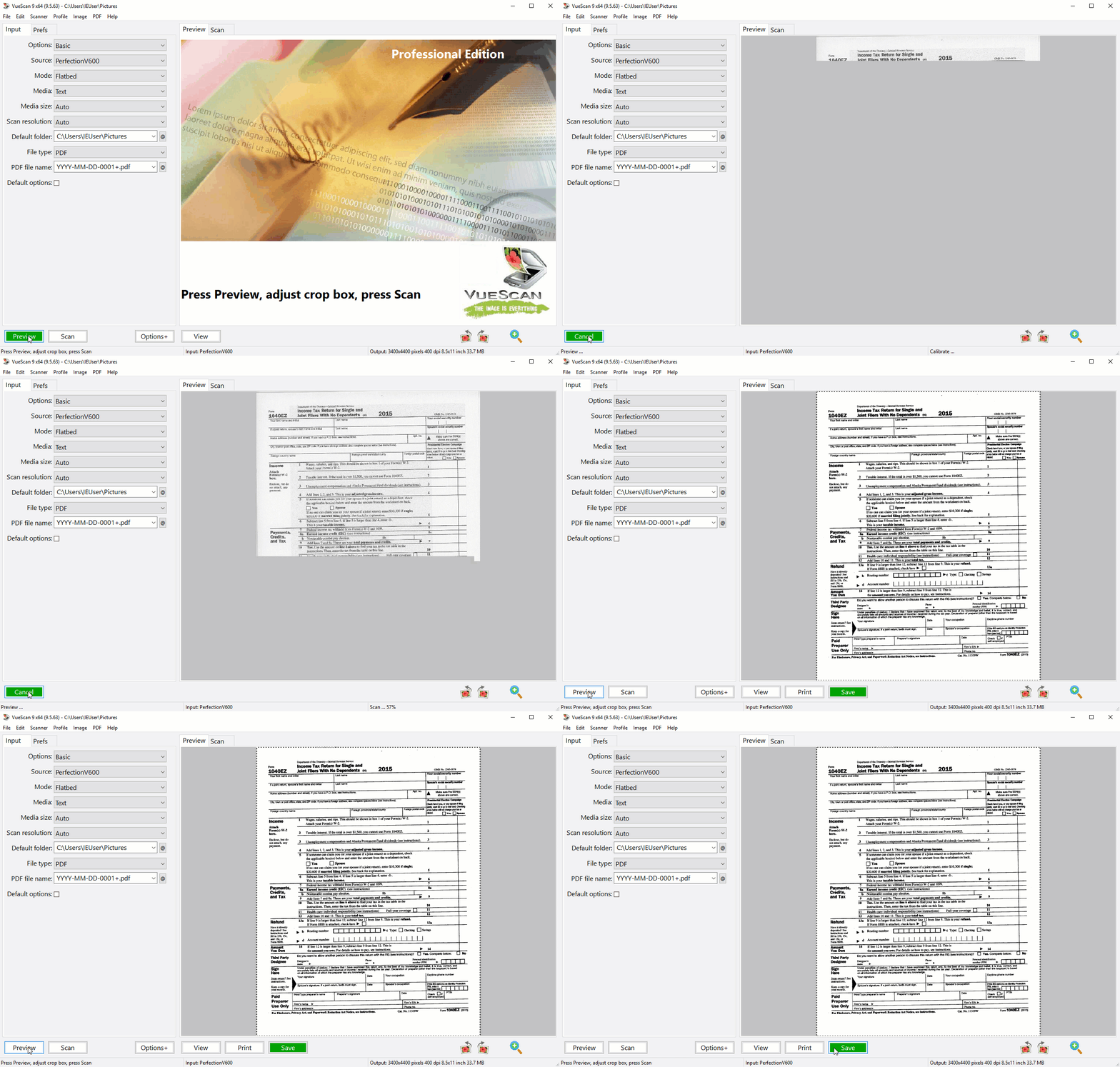
VueScan, the world’s most popular scanner software, is used extensively by photographers, home users, scanning services and corporations. It works with most high-quality flatbed and film scanners to produce scans that have excellent color fidelity and color balance.
VueScan is very easy to use, and also has advanced features for restoring faded colors, batch scanning and other features used by professionals.
This application changes nothing on your system, installs nothing in your system and all other scanner software will continue to function.
VueScan can output scanned documents, photos, and film in PDF, JPEG, TIFF formats. It can also recognize text using OCR and create multi-page PDFs using flatbed scanners and scanners with automatic document feeders. .
Accessing your WiFi enabled scanner has never been easier. The Mobile Edition allows you to seamlessly scan documents and photos straight to your iPhone, iPad, or iPod Touch from HP, Canon, and Epson WiFi printer/scanners. In addition to sending via Email and saving to the Photos App, Vuescan Mobile allows you to save scanned images to your favorite iOS apps. That can open PDF or JPEG files such as iBooks, Dropbox, GoodReader, Evernote, etc.
VueScan is a replacement for the software that came with your scanner. It is compatible with 6500 scanners from 42 scanner manufacturers.
VueScan Scans:
Documents
- Scan with Flatbed and Automatic Document Feeders (ADF)
- Scan to PDF (Single and Multipage)
- Optical Character Recognition (OCR)
- Automatic Color Detection
- Small document file sizes
- Automatic document deskewing
Photos
- Scan with Flatbed and Automatic Document Feeders (ADF)
- Scan to JPEG or TIFF
- Preset photo sizes
- Scan multiple photos on the flatbed
- Automatic file naming
Film and Slides
- Works with almost all film/slide scanners
- Scan to JPEG/TIFF/RAW
- Infrared Dust Removal
- Color correction
- IT8 Calibration
- Photoshop Integration
What’s new in version 9.8.59:
- Added support for scans larger than 2 GBytes
- Added support for scans up to 65535 x 65535 pixels
- Added option to enable/disable Recent Scans tray
- Added editable OCR text window
- Added OCR button next to Recent Scans
- Added ‘Filter | Restore fading’ for multi-slide scans
- Added collapsible sections for options in the same category
- Fixed problem with maximum scan resolution for some Brother scanners
- Fixed problem with ADF support for some Brother scanners
- Fixed problem with paper size of Brother MFC-9460CDN
- Fixed problem with alignment grid repainting during crop rotation
- Fixed problem with mirrored and skewed thumbnails
- Fixed problem with zoomed Overview when switching frames
- Fixed problem with bad color correction outside active frame
Homepage – https://www.hamrick.com
Supported Operating Systems: Windows 7, 8, 8.1, 10, 11 (64-bit).
VueScan supports more than 2400 different scanners on Windows, 2100 scanners on macOS and 1900 scanners on Linux.
Please note that not all scanners work with all operating systems or SCSI/USB/Firewire interfaces, but most combinations are known to work. The best way to find out for sure if VueScan works with your scanner, operating system and interface is to download the trial version of VueScan from www.hamrick.com.
On Mac OS X, VueScan works with most USB to SCSI converters, including the Adaptec USBXchange and USB2Xchange. VueScan also works with most Firewire to SCSI converters. You don’t need to install any vendor software to get this to work. Only one SCSI device per converter is supported, and you should use SCSI ID 0 with USB to SCSI converters.
TOP ALTERNATIVES
-
 Sumatra PDF is a slim, free PDF, XPS, DjVu, PDF, ePub, MOBI, CHM, CBZ ...
 -
 Corel WordPerfect Office 2021 is the complete all-in-one office suite ...
 -
 Babylon 12 is the world’s leading dictionary and language transl...
 -
 PDFZilla allows you to convert PDF files quickly and accurately into e...
 -
 Ashampoo Office 27 is compatible with MS Office, including Office 365,...
 -
 AVS Document Converter is a tool for converting documents between DOC,...
 -
 Microsoft OneNote is an advanced, rich-featured note taking program. I...
 -
 PDF-XChange Viewer is an alternative viewer for PDF files that enables...
 -
 Microsoft Office 2021 is the complete, cross-platform, cross-device so...
Leave a Reply
1 Comments on VueScan 9.8.59 – Scanner Software
-
Guest
