

UltraEdit 32.2.0.21 by IDM



 (38 votes, 3.68 out of 5)
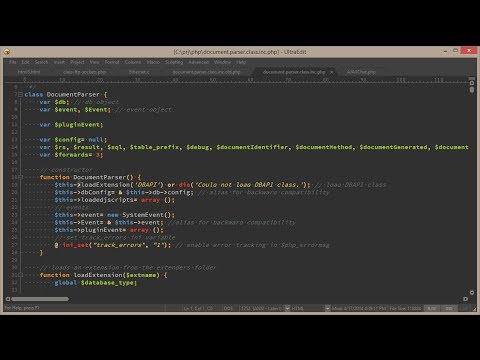
UltraEdit is the ideal text, HEX, HTML, PHP, Java, javascript, Perl, and Programmer’s editor. It’s versatile and easy to use, specially designed for inputting and editing text and code. Supports configurable syntax highlighting and code structuring for most any programming languages.
With its clear layout and powerful project and workspace features, it can handle complex and sophisticated software development projects.
This IDM product is flexible and easy to customize, handles files in excess of 4GB. And the polished user interface provides easy access to the most important options.
UltraEdit is used across a diverse range of industries. From professional writers, researchers and journalists to advanced programmers, database managers and web developers.
Scores of individuals use UltraEdit as a powerful replacement for windows notepad and even more use it as a text editor. Because of its ability to handle multiple documents at once, large file handling, powerful search/find/replace functionality, spell checking versatility and much more.
UltraEdit Key Features:
- Easily open and edit large files – 4 GB and beyond!
- Multi-caret editing and multi-select
- Column (block) mode editing
- Powerful search. Find and replace in files, regular expressions, inverse search, etc.
- File compare
- Code syntax highlighting for nearly any programming language
- Code folding and hierarchical function listing
- Beautify and reformat source code
- Powerful XML handling. XML tree view, reformatting, validation, etc.
- Auto-closing XML/HTML tags
- Smart templates – automatic intelligent code completion
- Editor themes – skin the entire app
- Powerful and configurable tools
- File and data sorting
- Integrated FTP client (supports FTP, SFTP, and FTPS)
- Integrated SSH/telnet client
- Filtered spell checker
- Unicode/ UTF-8 support
- Split/duplicate window editing
- Hex editing
- Macros and scripts for automated editing
- CSV data reformatting
- Log file polling
- File encryption and decryption
- Integrated Ctags (symbols listing)
- Base64 encode/decode
- Project support
- Robust bookmarking
Changes in UltraEdit 2025.2 Update 1 (2026-03-25):
- Added: Matching theme support for “Live highlighting” background color
- Added: Registry lock to disable “Download latest version” option
- Fixed: Decimal and hex character offset returned in Character Info dialog is wrong
- Fixed: Find what text has poor contrast with certain themes in Hex Find/Replace dialog
- Fixed: Text rendering truncated after column mode editing
- Fixed: Find/replace dialog highlighting shows red background even with match
- Fixed: Drop down in WebTools window is black block with Classic theme
- Fixed: Live highlighting – Docmap shows highlighting after find dialog is closed
- Fixed: Live highlighting – Find/Replace regex highlights using what appears to be a “greedy” match
- Fixed: Selected text in hex mode not deleted as expected
- Fixed: Registry keys for Cloud Services still created on install
- Fixed: Incorrect URL highlighting with specific URLs
- Fixed: Crash when trying to use command palette to find a file
- Fixed: uedit64.com and uestudio.com tools not installed by all-in-one installers
- Fixed: Enterprise License should be changed to “Volume License” in About dialog
- Fixed: Content incorrectly underlined as URL
- Fixed: Replace in selected text loses selection when search string is entered
- Fixed: Text entry fields in Find/Find in Files dialogs have low contrast background colors
- Fixed: Crash when reloading XML file on startup
- Fixed: Crash when working with FTP in Explorer pane
Homepage – https://www.ultraedit.com
System Requirements:
- Windows 10, 11
- macOS 11.5 and later, with support for Intel-based processors only.
- Ubuntu 18.04 +, RedHat/CentOS, Fedora, SUSE
TOP ALTERNATIVES
-
 The Microsoft .NET Framework 4.5.2 is Microsoft’s comprehensive ...
 -
 Notepad2 is a small, light-weight, fast, free and open source Notepad-...
 -
 WinHex is a universal hexadecimal editor, particularly helpful in the ...
 -
Microsoft .NET Framework 3.0 enables developers to build, deploy, and ...
-
 UEStudio 25 is the powerful IDE (Integrated Development Environment) b...
 -
The Microsoft .NET Framework 4.6.2 is a runtime execution environment ...
-
 Microsoft Visual Studio 2017 is a rich, integrated development environ...
 -
Microsoft Visual Studio 2014 with MSDN provides the most comprehensive...
-
 Visual Studio 2026 is a Microsoft’s integrated development envir...
Leave a Reply
0 Comments on UltraEdit 32.2.0.21 by IDM