

DriverMax 16.22.0.25 – up to 82% OFF


 (47 votes, 3.94 out of 5)
DriverMax is a very usefull tool to download and update your computer drivers. No more searching for rare drivers on discs or on the web or inserting one installation CD after the other.
Just create a free account, log in, and start downloading the updates that you need. You can also export all your current drivers (or just the ones that work ok) to a folder or a compressed file.
BUY NOW DriverMax PRO Subscription – up to 82% OFF
After reinstalling Windows all drivers will be back in place in less than 5 minutes. Sparing you of searching, inserting disc after disk and losing precious time.
The Import Drivers wizard allows you to install all the drivers that you exported earlier. The entire operation might take up to 5-10 minutes. Just one single computer restart will be required after all drivers are reinstalled!
Most of the situations when Windows is running slower are caused by faulty driver installations. Windows stores all versions of older drivers just in case you want to go back. Sometimes it messes up older versions with more recent ones. The Export Wizard will only export the drivers you select by copying the needed files to a folder or a compressed ZIP file.
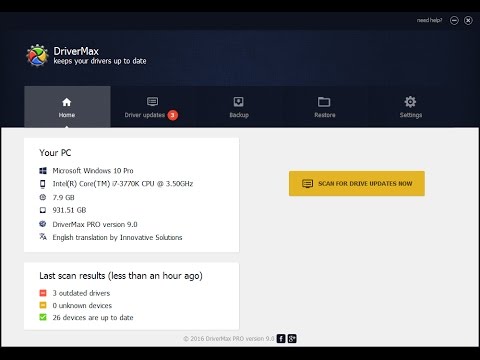
DriverMax is able to display a complete report of all drivers (versions, release dates) installed on your system. This feature can also be very useful when you want to analyze the differences between the drivers installed on different machines.
Drivers are used for interfacing with:
- Printers
- Video adapters
- Network cards
- Sound cards
- Local buses of various sorts – in particular, for bus mastering on modern systems
- Low-bandwidth I/O buses of various sorts (for pointing devices such as mice, keyboards, USB, etc.)
- computer storage devices such as hard disk, CD-ROM and floppy disk buses (ATA, SATA, SCSI)
- Implementing support for different file systems
- Implementing support for image scanners and digital cameras
Choosing and installing the correct device drivers for given hardware is often a key component of computer system configuration.
What’s New in DriverMax 16:
- Improved, brand new interface
- Increased interface responsiveness
- Increased interface responsiveness
- Simplified design allowing even beginner users to update their drivers
- Improved backup and restore options with a lot of additional safety features
- No installation wizard, no fuss; all installations are fully automatic
- Keeps all PC drivers up-to-date
- Identifies unknown hardware and installs the appropriate drivers
- Allows users to backup all system drivers and restore them after reinstalling Windows
- Improved driver detection and installation algorithm
- A broad range of license types tailored for all user needs: 30 days, 1 year, 2 years and Lifetime
Homepage – https://www.drivermax.com
Supported Operating Systems: Windows XP, Vista, 7, 8, 8.1, 10, 11 (32-bit, 64-bit).
Size: 7.23 MB
DOWNLOAD DriverMax
TOP ALTERNATIVES
-
 Realtek Audio Driver 4.06 for Windows 98/Me/2000/XP/2003 (32/64 bits) ...
 -
 AMD Software Adrenalin Edition is the graphics and HD video configurat...
 -
 nVIDIA GeForce Game Ready Driver unleashes the full power and features...
 -
 IObit Driver Booster is the easiest and most effective driver updating...
 -
 Driver Fusion is the complete driver solution for your PC. It helps yo...
 -
 Microsoft DirectX End-User Runtime provides updates to 9.0c and previo...
 -
 NVIDIA Studio Drivers provide artists, creators and 3D developers the ...
 -
 Driver Magician offers a professional solution for device drivers back...
 -
 Auslogics Driver Updater is a useful tool that helps improve the perfo...
Leave a Reply
0 Comments on DriverMax 16.22.0.25 – up to 82% OFF