

Foxit PDF Reader 2026.2.1.39815


 (54 votes, 4.07)
 Loading...
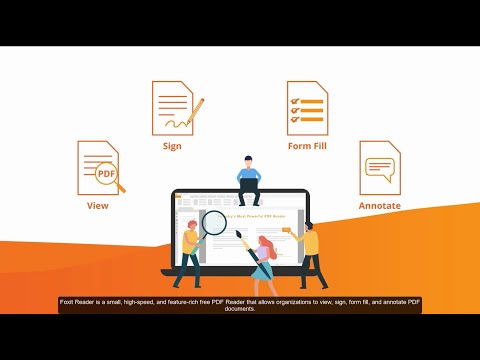
Foxit PDF Reader 2026 is a fast, and feature rich PDF reader which allows you to open, view, and print any PDF file. Also includes easy to use collaboration features like the ability to add annotations, fill out forms, and add text to PDF documents.
Foxit PDF Reader has a small footprint that starts up instantly, renders PDF files quickly and uses very little memory, which is especially important with today’s handheld devices. It is packed full of convenient and easy to use viewing, editing and printing features that make document collaboration simple.
This Foxit application provides an excellent alternative to the Adobe Acrobat Reader on any computer running the Windows operating system. View, print, and collaborate easily using Foxit PDF Reader.
Whether you’re a consumer, business, government agency, or educational organization, you need to read and annotate PDF documents and fill out PDF forms. You need your Foxit PDF Reader to be:
- Fast – so you’re not waiting forever to read files.
- Lightweight – so it’s easily deployable and doesn’t exhaust system resources.
- Secure – so you don’t get infected with viruses and can keep sensitive information safe.
- A Platform – so you can extend the Reader by creating your own value added capabilities for internal use or for resale.
Foxit PDF Reader provides three different ways for you to read PDF files: multi-tab browsing, single document interface mode, and multiple document interface mode. The multi-tab browsing feature enables you to open multiple files in a single instance. If you already have a PDF file open and then you double-click another PDF file, it will be opened in the same window. The single document interface mode enables you to open multiple instances of Foxit Reader.
Easy-to-use review and commenting tools
- Add comments or suggestions using notes.
- Highlight, underline, or use one of many other tools to bring attention to specific text.
- Easily correct mistakes by cancelling the last action with Redo & Undo feature.
New editing tools
- Include Typewriter, Callout, Textbox, and Measure tools
- Add your comments on your PDF document.
- Use Typewriter Tool to fill forms.
- Create comments in a callout text box.
- Measure distances and areas of objects in PDF documents.
XFA Form Filling
- XFA (XML Form Architecture) form filler is used to fill forms with XFA elements, allowing you to leverage existing XFA forms.
Microsoft Windows Server Active Directory Rights Management Service support
- Open an RMS protected PDF Document.
- Improve information security, meet compliance requirements.
- Save time and money with improved business processes.
Free spell checker for comments
- Find any spelling errors and highlight them with squiggly lines.
Multimedia Support:
- Add Images, Movies, Links and file attachments to any PDF document
- Add /Edit /Play multimedia in PDF files.
- Attach PDF files and other types of files to a PDF document.
- Add an image to a PDF; adjust its size, and position, change the appearance, etc…
Text Viewer and Text Converter
- View the whole text content of a PDF file.
- Convert a whole PDF document into a simple text file.
Add/Edit/Modify Bookmarks
- Easily modify the bookmarks in a PDF file.
Changes in Foxit PDF Reader 2026.2.1.39815:
- Fixed some security and stability issues.
Changes in Foxit PDF Reader 2026.2.0.39747:
- Meet the newly enhanced Foxit AI Assistant – empower your work with intelligent Workspace and smarter interactions.
- Introduce Foxit Workspace
Create a project around your documents or a topic, then work with AI to review source materials, extract and organize information, draft content, and develop reusable and sharable outputs (including documents, images, presentations, mind maps, diagrams, infographics, web pages, and Markdown). Foxit Workspace transforms document-based work into a more connected process to help users complete real tasks, not just chat. - Enhanced AI Chat experience – The redesigned AI Assistant Chat has been upgraded from a standard Q&A interface to an Agent that can execute in cycles, maintain context, and invoke tools. Under this agent-based structure, previous tools listed in More tools and certain ribbon commands have been redesigned as skills or generation modes via Chat. The enhanced AI Chat also supports additional AI models, default connected apps (MCP connectors), and skills creation and management.
- Support for Local AI with BYOM and SLMs – Provide strict data security by keeping document content within the user’s environment while giving users control over which AI models run through custom models with Bring Your Own Model (BYOM) and enabling efficient on-device processing with SLMs.
- Make document translation easier to control by letting users choose the pages to translate, choose Danish as a target language, and follow language-aware guidance during translation.
- The redesigned Intelligent Reading has been separated into two standalone features, Read Aloud and Smart Podcast, providing a more streamlined way to explore, understand, and work with document content. The Read Aloud feature has been further improved to support reading selected text and highlighting the text currently being read.
- Introduce Foxit Workspace
- Add Arabic to the application interface for a more localized experience.
- Enhance Microsoft Purview Information Protection (MIP) support (Enterprise Packaging only)
- Display the sensitivity labels that apply only to files, keeping the labeling experience focused.
- Update the justification experience to ensure a complete, reliable audit trail for label changes.
- Extend support to organizations using Azure Government Cloud (GCC High).
- Allow administrators to make enterprise-defined stamps available from a shared drive or local OneDrive folders so users always access the latest stamp set, with optional restrictions on end-user editing. All configurations can be managed through Foxit Customization Wizard or GPO settings.
- Improve certificate workflows by supporting the import of trusted certificates in CRT format and automatically recognizing timestamps embedded in certificates.
- Other enhancements to the user experience.
- Fixed some stability issues.
Homepage – https://www.foxit.com
Supported Operating Systems:
Windows
- Windows 7
- Windows 8
- Windows 10
- Windows 11
macOS
- macOS 10.13 or higher
Linux
- Ubuntu Desktop 14.04 ~ 16.10
- Red Hat Enterprise Linux Server 6.x (64-bit) ~ 7.x
- SUSE 12 Linux Enterprise Server
- OpenSUSE 13.2
- OpenSUSE Leap 42.x
For users utilizing the Active Directory Rights Management Service, the following systems are supported:
- Ubuntu Desktop 14.04 ~ 16.10
- Red Hat Enterprise Linux Server 6.x ~ 7.x
- OpenSUSE 13.2
- OpenSUSE Leap 42.x
Citrix
- Verified as Citrix Ready with Citrix XenApp 7.13
Size: 278 MB
DOWNLOAD Foxit PDF Reader 2026.2.1 for Windows
DOWNLOAD Foxit PDF Reader 2026.2.1 for Mac
DOWNLOAD Foxit Reader for Linux 32-bit
DOWNLOAD Foxit Reader for Linux 64-bit
DOWNLOAD the Language Package (Multi-language Translation System)
DOWNLOAD Foxit Reader Portable
TOP ALTERNATIVES
-
 novaPDF is a PDF creator that allows you to easily create PDF files (t...
 -
 Adobe Reader 11 software is the free global standard for reliably view...
 -
 Wise PDF Editor is a full-featured PDF file manager on Windows. It all...
 -
 Solid Converter is the best PDF converter for turning PDF files into f...
 -
 Tungsten (formerly Kofax) PaperPort Professional 14 is the most produc...
 -
 OmniPage Ultimate by Tungsten Automation (formerly Kofax) offers fas...
 -
 ONLYOFFICE is a comprehensive office suite for document editing and co...
 -
 VeryPDF PDF Password Remover can be used to decrypt protected Adobe Ac...
 -
Adobe Reader 9 software is the global standard for electronic document...
Leave a Reply
0 Comments on Foxit PDF Reader 2026.2.1.39815