

Luminar NEO 1.28.1 – 10% OFF


 (47 votes, 3.81)
 Loading...
Luminar NEO is a universal photo editing software developed by Skylum (formerly Macphun) available for Windows and macOS. It works as a standalone application and as a plugin for Adobe and Apple products. It integrates with Adobe Photoshop, Photoshop Elements, Lightroom Classic, and Photos for macOS.
Luminar Neo is an innovative image editor powered by AI technologies of the future that simplifies complex editing routines and enables creators to bring their boldest ideas to life. And enjoy it. The new technologies and innovative user experience in make creative image editing simple and fun.
BUY NOW Skylum Luminar NEO – 10% OFF
Accomplish creative tasks and attain professional-quality editing results with Luminar Neo’s leading-edge AI technologies and flexible workflow. Achieve complex creative results thanks to the new engine in Luminar Neo, built by collecting our team’s combined experience and evolving it for maximum performance and flexibility.
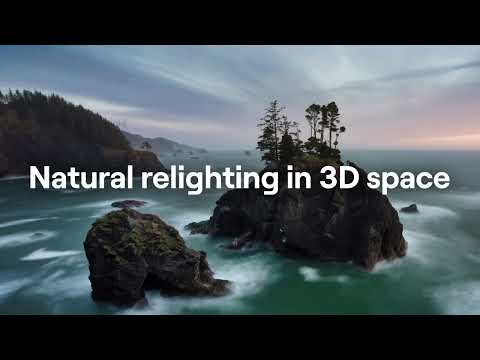
Relight backlit photos or darkened images in a click with the RelightAI feature. Luminar Neo calculates the depth of a photo and creates a 3D map, making it possible to spread light naturally in 3D space across a 2D image.
You can also relight the background and foreground separately – meaning you can darken parts of the image as well. This opens up an opportunity for creative relighting in order to bring your artistic vision to life.
- High performance in complex tasks
- Simple and fun to explore
- Flexible workflow for creativity
- Technologies for professional results
- Remove the background automatically without masking and cropping.
- Lightning-fast creative editing with an all-new image engine.
- Designed as a module system its parts now can be optimized separately, for the best performance.
Luminar NEO contains exclusive tools for you to create unbelievable masterpieces in Travel, Landscape, Portrait, or other genres of photography. No need to spend years learning. Just launch the application and start creating.
Luminar NEO Features:
- Get speed and flexibility in your editing with our brand-new core engine and layers workflow.
- The new engine we built for Luminar Neo is based on all the best solutions from our combined and evolved experience for maximum performance and creativity and is developed for achieving complex creative results.
- Adjust the light in your photo for creative control over the lighting in a scene. You can control the exposure of an image based on the distance from the lens to independently adjust the background and foreground exposure.
- Automatically remove spots on your images caused by dust and dirt on your lens and sensor.
- Clean up unwanted power lines from the skies in your cityscapes.
- Experiment with infinite creative possibilities by effortlessly combining two or more images in a shot.
Shine Removal and Slim Face
Shine Removal and Slim Face tools are designed to make your workflow even faster and more thorough. After removing excessive light or making face slimmer you will end up with a perfectly natural, balanced and realistic portrait photo.
Essential tools for amazing portraits:
- AI Skin Enhancement
- Facial contouring
- Blemish removal
- Face relighting
- Redeye removal
- Dark circles removal
- Eye whites brightening & sharpening
- Eye enlargement & squint removal
- Eyebrow thickening
- Lip color improvement
- Teeth brightening
- Batch editing
What’s New in Luminar Neo 1.28.1:
General Updates
We’re excited to introduce Luminar 1.28.1, an update focused on making RAW editing more reliable, sharing Luminar easier, and everyday editing faster. With improved DNG support, quicker tools, and broader camera compatibility, this version gives you a smoother editing experience from import to export. Let’s explore what’s new:
- Better DNG support. Luminar now uses the official Adobe DNG SDK for DNG handling, helping more DNG files open as they were recorded by your camera, with more accurate color and white balance. Apple ProRAW photos from iPhone now open properly and are ready for full RAW editing in Develop. We’ve also added support for DNG files compressed with the JPEG XL codec, so you no longer need to convert them in another editor before working with them in Luminar.
- Invite friends. Sharing Luminar with friends is now easier than ever. The rebuilt referral program is available directly from the left sidebar, Luminar menu, and Account menu. Simply open Invite friends, grab your personal link, and share Luminar with anyone who would enjoy a better way to edit photos.
- Faster exports. Batch export is now around 15% faster, helping large sets of photos finish sooner. Spend less time waiting for your files and more time editing — or simply get your work done faster.
- Faster editing tools. Details now works up to 40% faster, while Bokeh AI is about 15% faster. Enjoy more responsive previews while fine-tuning your edits, with less waiting when working with heavier tools.
You’ll also find improved camera support for Apple, Samsung, Google, and DJI DNG RAWs, giving you more flexibility when working with photos from a wider range of devices.
Warning: Starting with the next release, Luminar will no longer support macOS 12 Monterey. The minimum supported version will be macOS 13 Ventura. If you’re using macOS 12, your current version of Luminar will continue to work, but you won’t receive future updates until you upgrade your system.
MacOS Bug fixes:
- Switch smoothly to Catalog without panels disappearing when using keyboard shortcuts.
- Export multiple edited photos reliably without getting stuck when using previous export settings.
- Remove individual images easily from Focus Stacking and Panorama Stitching.
- Keep Luminar on Mobile photos organized when moving them between nodes.
- Access presets, tools, Generative tools, and filmstrip controls smoothly without buttons becoming unresponsive on macOS Golden Gate.
- Select preset categories easily on macOS Golden Gate.
- Expand the Layers panel easily with the “+” control without issues on macOS Golden Gate.
- No longer encounter unwanted artifacts on image edges when correcting Chromatic Aberration in certain DNG files.
- Open DNG photos with more accurate white balance for more natural-looking results.
- Get cleaner highlights in DNG photos exported from third-party software without unwanted pink color casts.
Windows Bug fixes:
- Preserve transparency when exporting PNG files.
- Switch to your photos after finishing a tutorial smoothly without freezes or broken layouts.
- Discover new preset collections easily in New Marketplace Arrivals.
- Navigate your folders confidently without outdated empty states appearing in the gallery.
- Find liked X-Membership presets in Favorites immediately without restarting the app.
- Open the AI Assistant’s suggestions directly while working in Presets or Edits.
- Continue tutorials smoothly without tool categories blocking your progress.
- Navigate Presets more easily with responsive controls in the “For this photo” section.
- Keep the interface from staying interactive during export, which could previously cause freezes.
- No longer encounter unwanted artifacts on image edges when correcting Chromatic Aberration in certain DNG files.
- Open DNG photos with more accurate white balance for more natural-looking results.
- Get cleaner highlights in DNG photos exported from third-party software without unwanted pink color casts.
Homepage – https://skylum.com
Translated into 11 languages.
For Mac:
- MacBook, MacBook Air, MacBook Pro, iMac, iMac Pro, Mac Pro, Mac mini, early 2010 or newer
- CPU Intel® Core i5 or better
- Memory 8 GB RAM or more (16+ GB RAM is recommended)
- macOS 10.14.6 or higher. IMPORTANT: macOS 10.13 is not supported.
- Hard disk 10 GB free space; SSD for best performance
- Display 1280×768 size or better
For Windows:
- Windows-based hardware PC with mouse or similar input device
- CPU Intel® Core i5 or better, AMD Ryzen 5 or better
- Open GL 3.3 or later compatible Graphics Cards
- Memory 8 GB RAM or more (16+ GB RAM is recommended)
- Operating System Windows 10 version 1909 or higher (only 64-bit OS).
- Hard disk 10 GB free space; SSD for best performance
- Display 1280×768 size or better
TOP ALTERNATIVES
-
 PearlMountain Image Resizer Pro (formerly AnyPic Image Resizer Pro) al...
 -
 ACDSee Photo Studio Professional is a complete photo editor and photo ...
 -
 Ashampoo Photo Commander 16 is the comprehensive solution to view, edi...
 -
 paint.NET is free image editing and photo manipulation software for Wi...
 -
 Photomatix Pro is a software to create stunning photographs of high co...
 -
 EasyHDR is a photo editor software for Windows and Mac. It uses HDR im...
 -
 PortraitPro (formerly Portrait Professional) is new portrait airbrushi...
 -
 MAGIX Photostory Deluxe 2027 lets you present photos and videos in the...
 -
 Photopus Pro is an easy to use batch image processing to simplify the ...
Leave a Reply
0 Comments on Luminar NEO 1.28.1 – 10% OFF