

DiskGenius Professional 6.2.0.1829 by EASSOS

DiskGenius software is the professional all-in-one solution for data recovery, partition manager, backup and restore with additional disk utilities. This software is preferred by IT professionals, technicians and service providers.
This professional data recovery software will help you get back lost files or partitions and recover RAW drive with ease. It precisely recovers lost data from deleted or formatted RAW drive, partition loss, OS crash and a number of other data loss situations.
BUY NOW EASSOS DiskGenius
Apart from basic functions on data recovery, partition management and data backup, the Professional Edition provides more advanced and notable functions such as hex editor, image disk, construct virtual RAID, encrypted partition recovery, manage virtual disk, copy sectors and so on.
DiskGenius is powerful backup software and it can backup partition, clone disk/partition, migrate system to SSD/HDD, etc. It will help you to create a system image backup for current Windows with simple clicks to keep operating system under protection.
DiskGenius is full featured partition manager, which is designed to optimize disk usage for Windows users. It allows you to resize, extend, split, create, delete, format, hide, copy and erase partition to maximize disk space use.
DiskGenius Features:
- Windows Backup. Easily back up system partition and other system related partitions, including system files, boot files, settings, applications, etc.
- Safely Restore System. Quickly and safely restore Windows system from backup when system crashes, saving your system and important information.
- Multiple Backup Methods. Support full and incremental backup as well as multiple backup modes, making backup flexible and practical.
- UEFI Compatibility. DiskGenius is now ready to back up system installed on both BIOS-based and UEFI-based hardware.
- WinPE Media Builder. Create a Win-PE based bootable disk in case that system fails to boot or for advanced operations.
- Support Windows 10. It is fully compatible with all versions of Windows operating systems up to Windows 10.
DiskGenius Highlights:
- Comprehensive Data Recovery. Safely and rapidly recover lost data from PC, HDD, memory card, USB flash drive, virtual disk, RAID drives after deletion, formatting, virus attack, system crash, etc.
- Optimized File Searching Engine. Powered by advanced scanning algorithm, it goes deeper to locate every byte of lost data on storage devices with ease and guarantees high data recovery rate.
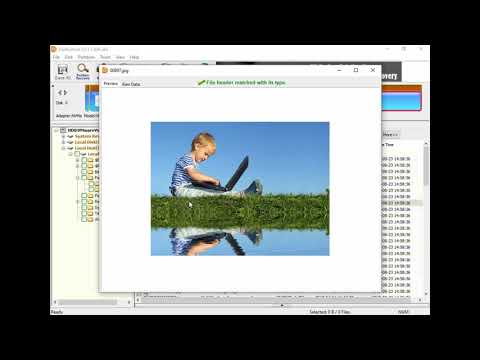
- Preview Files Before Recovery. Preview recoverable files displayed in scanning result before final recovery so that you can estimate the chances of successful file recovery and proceed with selective recovery.
- Unbootable PC Data Recovery. You will able to create WinPE bootable USB disk to boot your computer and recover lost files when Windows won’t boot such as crash, freeze, keeping rebooting, etc.
- Virtual Disk Recovery. DiskGenius supports to load virtual disks created by VMware, Virtual Box and Microsoft Virtual PC and recover lost files or partitions without running those virtual machines.
- RAID data recovery. Recover lost, formatted or inaccessible data from all types of RAID arrays like RAID0, RAID5, RAID 6 and RAID 10 by way of constructing virtual RAID.
- Image Data Recovery. Create a sector-by-sector copy for entire disk, partition or some sectors to recover lost data without scanning original device which is experiencing errors like bad sectors or corruption.
- Sector Editor. A hex editor is provided to analyze and edit raw data of disks and partitions, which helps recover deleted files, restore lost partitions and retrieve data from corrupted drives.
DiskGenius is a wonderful tool and has three editions: Free, Standard and Professional. When you download and use the program, it is the FREE edition of DiskGenius. Some functions are not available for Free Edition. But you can buy the program’s license to upgrade it from Free Edition to Standard Edition or Professional Edition.
DiskGenius can do more!
- Check & Repair Bad Sectors. Detect and repair bad sectors for various storage devices such as hard drive, external hard drive, SSD, SD card, flash drive, etc.
- View S.M.A.R.T. Information. Monitor S.M.A.R.T. attributes to help you check if the disk has started to develop problems and decide whether the disk needs to be replaced to avoid potential data loss.
- Wipe Hard Drive. Completely erase all information on HDD before planning to recycle, sell or give away old PC, keeping private data safe.
- Permanently Delete Files. Securely delete your sensitive files and overwrite data with random patterns, making sure deleted information is no longer recoverable.
- Erase Free Space. Permanently wipe empty space on your hard drive or other storage devices so that lost data cannot be recovered by any method.
- Hex Editor. The included hex editor in the software will help users to view and edit file binary content in hexadecimal and SDCII modes.
- Check 4K Alignment. Easily check whether partitions on your computer are properly 4K aligned or not.
- Format USB Drive In Batch. Automatically format all connected USB flash drives to FAT32, NTFS or exFAT if USB disk matches parameters you’ve configured.
- Rebuild MBR. Rebuild Master Boot Record when MBR is missing, corrupted or damaged, solving Windows cannot load error.
- Check Partition Table Error. Check and correct partition table error for hard disk to avoid issues like Windows failure to boot, losing partition, etc.
- Support LVM. Copy files from LVM volume or write data to LVM volume; resize partition of single PV on LVM without data loss.
Changes in DiskGenius 6.2.0.1829:
New
- Add the “Disk Speed Test” feature.
- Add the “Windows Boot Repair and Conversion” feature.
- Add the BMB21-2019 erase standard to the “Erase Sectors” feature.
- Add support for restoring an individual partition from a PMFX disk image file.
Enhanced:
- The “Verify Or Repair Bad Sectors/Blocks” feature displays disk read speed in the detection window during scanning.
- The “Quick Partition” dialog box allows users to quickly select the number of partitions by pressing the numeric keys 1, 2, 7, 8, or 9.
- The “Set Volume Name” dialog box supports selecting preset volume labels provided by the software.
- The “Copy Sectors” feature supports resuming copy tasks after modifying the number of skipped bad sectors.
- Add the “TRIM Optimization” option to the format dialog box.
- The “Clone Partition” and “Clone Disk” features perform TRIM optimization on target partitions or disks before cloning.
- Add support for Not Equal To search conditions (prefixed with “!”) when searching hexadecimal data in the sector editor.
- Optimize the display of capacity values in the program interface to show two decimal places.
- Add a minimize button to dialogs that may require long processing time.
- Enhance support for the ReFS file system.
- Enhance support for newer HIF and MP4 formats when recovering files by type.
- Enhance support for the EXT4 file system.
- Enhance compatibility of the “File Recovery” feature with special data structures.
Fixed:
- Fixed the issue that the selected file system type automatically reverted to NTFS after changing it to exFAT or EXT4 in the “Quick Partition” dialog box.
- Fixed inaccurate Unicode string search results in the “Sector Editor” feature.
- Fixed the issue that exceptions might occur when adding multiple disks in the “Erase Sectors” feature.
- Fixed the issue that insufficient target disk space was incorrectly reported in some cases when cloning, backing up, or restoring disks.
- Fixed the issue that folder modification timestamps were not preserved when copying files from ReFS partitions.
- Fixed the issue that Excel-format reports generated by features such as file copying or bad sector checking could not be opened when the report contained more than one million rows.
- Fixed the issue that folders were not displayed in the exclude-folder dialog box when backing up partitions to image files.
- Fixed the issue that the “Erase Sectors” feature could not be executed in some cases.
Homepage – https://www.diskgenius.com
Supports FAT12/ FAT16/ FAT32/ exFAT/ NTFS/ Ext2/ Ext3/ Ext4 file systems.
TOP ALTERNATIVES
-
 Nero BackItUp 2026 is the ultimate software, easy, secure, reliable ba...
 -
 Acronis True Image WD Edition helps to completely clone your current s...
 -
 Acronis Backup for PC provides disk-based backup and disaster recovery...
 -
 Acronis Cyber Backup is the world’s most easy, efficient, and secure...
 -
 Active Boot Disk is a bootable CD/DVD or USB flash media that allows y...
 -
 Restorer Ultimate is a new generation of data recovery featuring a new...
 -
 Acronis Ransomware Protection is a free tool, that delivers proven, po...
 -
 AOMEI Cyber Backup is the free, easy and centralized cross-platform En...
 -
 iTop Data Recovery is a reliable solution to recover lost or deleted f...
Leave a Reply
0 Comments on DiskGenius Professional 6.2.0.1829 by EASSOS