

Wise Disk Cleaner 11.3.9 Build 859
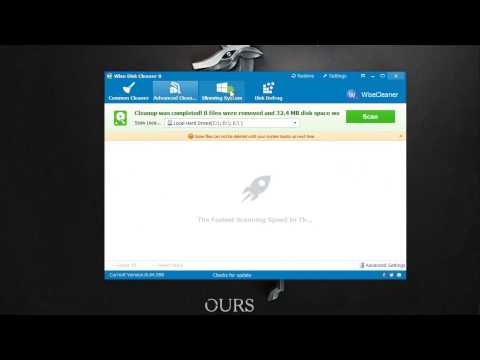
Wise Disk Cleaner is a free Disk Cleaner and Defragmenter. It cleans junks of browsers, removes junks and useless files of Windows, also defragments your hard disk. Clean your disk with Wise Disk Cleaner and your computer will run faster.
Furthermore, it cleans temporary files, history, cookies and autocomplete form history of Internet Explorer, Chrome, Firefox and Safari browsers. Also it removes of Windows junk files, such as Recycle Bin, Recent Documents, Temporary files and Log files.
BUY NOW Wise Care 365 Pro – 50% OFF
This freeware tool cleans a lot more files than most similar products and includes a “slim down” mode that gets rid of a lot of extraneous objects including wallpapers and other Windows files you may never use. A disk defrag feature is also included for free.
Scheduled Automatic Disk Cleaning
You can set to clean the disk on a daily, weekly, or monthly schedule according to your own need. It will automatically clean up the useless files in the background when the scheduled time is up. In settings, you can also create a ‘Clean with 1-click’ icon and place it on the desktop. With this feature, you can clean up the junk files by just clicking the icon without opening Wise Disk Cleaner.
Improve PC performance by defragging and re-arranging files on Your Disk
Your hard disk drive will get fragmented over time. Fragmentation makes your hard disk do extra work that can slow down your computer. The ‘Disk Defrag feature can rearrange fragmented data so your disks and drives can work more efficiently. ‘Disk Defrag also offers you a clear graphic chart of the selected drive, letting you know the drive usage at a glance. You can also use it to analyze and defragment any external storage devices.
Freeware and Low CPU Usage
Free Edition is completely FREE. Anyone can download it for free and enjoy free automatic update and technical support by email. Better yet, this program is a small and absolutely virus-free program that consumes very little system resource.
Changes in Wise Disk Cleaner 11.3.9:
- Added cleaning support for: Iridium browser, Epic Privacy browser, CapCut, QuickFix, DuckDuckGo, LibreWolf browser, VSCodium, GOG Galaxy, Heroic Games Launcher, and Ubisoft Connect.
- Enhanced cleaning rules for WavePad Sound Editor, TeamViewer, Kimi, and QQ.
- Fixed minor bugs reported from previous versions.
Changes in Wise Disk Cleaner 11.3.7:
- Improved the rules for cleaning Mozilla Firefox and Sublime Text.
- Added the rules for cleaning Mypal browser, AVG Secure Browser, Supermium Browser, NaturalReader Free 12, DBeaver, HP Installer Temp Files, HP Guide Cache, Bandizip, Intuit Quicken, iSkysoft Video Converter, and Jellyfin Media Player.
- Fixed a minor bug from Advanced Cleaner.
- Fixed some minor bugs from the previous version.
Changes in Wise Disk Cleaner 11.3.6:
- Added support for cleaning leftover files from popular applications, including DingTalk, Feishu, Helium Browser, Wondershare PDFelement, Snipaste, Docker Desktop, AutoClaw, Perplexity, Grammarly, Cursor, DeepL, and Native Access.
- Enhanced cleanup definitions for Windows temporary folders, user temporary directories, WeChat, Quark Browser, Google Chrome cache, PowerToys, and Visual Studio Code to reclaim more disk space.
- Optimized the Advanced Cleaner scanning engine for faster and more accurate junk file detection.
- Resolved several minor bugs identified in the previous version.
Changes in Wise Disk Cleaner 11.3.5:
- Added support for cleaning comprehensive system log files in the C:WindowsPantherNewOsPanther directory to reclaim more disk space.
- Added cleaning rules for several popular applications, including PDF Studio Viewer, Ulaa browser, MPK mini Software Manager, mpv, Mullvad Browser, MusicBee, My Family Tree, My Movies Collection, MyNextbase Player, Meitu Xiu Xiu, AI FlashPaint, and Wukong Image.
- Improved the accuracy and efficiency of cleaning rules for Snagit and PDF24.
- Resolved known bugs reported in the previous version to improve overall software stability.
Changes in Wise Disk Cleaner 11.3.4:
- Refined cleanup rules for Adobe Air and Doubao.
- Added support for cleaning various AI desktop clients, including Baidu Wenxin, Ali Qwen, Moonshot Kimi, StepFun, Xinhuo, Tencent QClaw, Skywork Desktop, Chatbox, Cherry Studio, and Quora Poe.
- Expanded cleaning support for Movavi products, including Photo Editor, Screen Recorder, Video Converter, and Video Suite
Homepage – https://www.wisecleaner.com
Supported Operating Systems: Windows 7, 8, 8.1, 10, 11.
The application has included more than 30 languages.
TOP ALTERNATIVES
-
 R-Wipe & Clean is a complete solution to wipe useless files and ke...
 -
 WinSysClean X12 is an effective Windows System Cleaner, which repairs ...
 -
 O&O BrowserPrivacy is a small application that protects your priva...
 -
 east-tec Eraser protects your privacy, identity and confidential infor...
 -
 WashAndGo 25 cleans up your system and increases the system speed. You...
 -
 O&O SafeErase 21 is the solution for securely deleting sensitive d...
 -
 Pointstoine System Cleaner is a computer cleanup and performance incre...
 -
 O&O DiskErase software will protect your private information from ...
 -
 Total Privacy is a safe and easy-to-use to use privacy protection tool...
Leave a Reply
0 Comments on Wise Disk Cleaner 11.3.9 Build 859