

O&O ShutUp10++ 3.6.1135 Premium – 25% OFF


 (52 votes, 4.10)
 Loading...
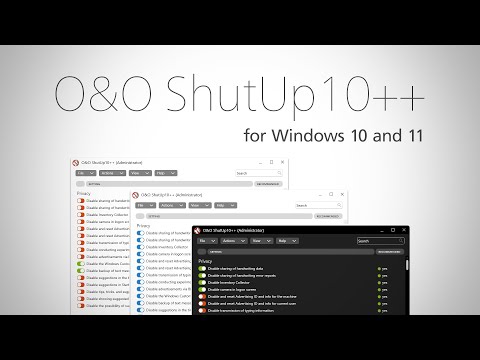
O&O ShutUp10++ is a small free antispy tool for Windows 10 and Windows 11 to protect privacy. That means you have full control over which comfort functions under Windows 10 and Windows 11 you wish to use, and you decide when the passing on of your data goes too far.
O&O ShutUp10++ is entirely free and does not have to be installed – it can be simply run directly and immediately on your PC. And it will not install or download retrospectively unwanted or unnecessary software, like so many other programs do these days!
O&O ShutUp10 Premium – 25% OFF until October 10, 2026
Using a very simple interface, you decide how Windows 10 and Windows 11 should respect your privacy by deciding which unwanted functions you will deactivate.
This O&O application presents you with all important settings in one location – you need no previous IT knowledge and there is no need to manually change the Windows 10 system settings.
Decide for yourself how important your “comfort” is when weighed up with your privacy and how to protect it. O&O ShutUp10 is entirely free and does not have to be installed – it can be simply run directly and immediately on your PC.
And O&O ShutUp10 will not install or download retrospectively unwanted or unnecessary software, like so many other programs do these days!
O&O ShutUp10++ Features:
- Adapt your security settings
- Protect your privacy
- Control location services
- Control Windows Updates
- Do not pass on your user data and diagnostics
Windows 11 and Windows 10 wants to give users the easiest possible daily experience and in doing so very rarely forces you to actually read and confirm a security notice. Unfortunately, this simplified approach from Microsoft means much more data is passed onto them than many users would like.
Microsoft uses most data to display personalized information to you that is aimed at making your computer life easier. As an example, Windows can remind you to set off to the airport 30 minutes earlier due to traffic en route. In order to deliver this information to you, however, Windows has to access your calendar entries, mails (i.e. the airline confirmation email), location and it has to have access to the internet to get traffic news.
Some services protocol your entire keyboard entries, share your WLAN access data with your Facebook contacts. Also they can connect your PC without asking permission to a public network. While this means that you and your contacts do not have to grapple with complicated WLAN passwords. It also poses a significant security risk.
Changes in O&O ShutUp10 3.6.1135 (2026-09-29):
Added
- Hide the “Try the new Outlook” toggle in Outlook (F022)
- Disable automatic migration to the new Outlook (F023)
- Filter settings by category, including in Edit Mode; the search box explains the available filters
- Nine additional program languages: Czech, Korean, Dutch, Polish, Portuguese (Portugal and Brazil), Turkish, Ukrainian, and Traditional Chinese
Improved
- Biometric features title and description (P009) name Windows Hello; the PIN remains usable
- Lock screen setting descriptions (K001, K002) explain that K002 also disables Windows Spotlight
- “Secure Boot” tab shows error details and provides clearer guidance on blocking settings and firmware errors
- Updated the application runtime to .NET 10
- Notes explain which settings Microsoft Defender may revert through Tamper Protection
- PREM: Custom profiles can be overwritten under the same name after confirmation
- PREM: “Add-Only” and “Replace-All” descriptions explain how settings outside the profile are handled
- PREM: Reverted Defender settings are logged; a notification indicates when automatic retries stop
Fixed
- Edge search bar can also be disabled in current Edge versions (E124, E224); previously applied settings need to be applied again
- After a restore point is created successfully, the prompt only returns on the next program start
- Secure Boot certificate status accounts for newer success events and pending restarts; old error values no longer cause an error message
- Secure Boot certificates are recognized even when firmware data contains extra bytes
- Failed Secure Boot certificate update message no longer repeats the same text
- Window comes to the foreground when opened through the notification area icon or a second program instance
- Window size, maximized state, and screen position are preserved after restarting or restoring from the notification area
- Corrected and completed translations, text formatting, and menu access keys across settings and dialogs
- Failed program restarts, including as administrator, report an error code; the existing window stays open if the new instance exits early
- Diagnostics log includes full error details in warnings and informational messages
- Free Edition: Embedded program files are signed to prevent Smart App Control from blocking startup
- PREM: Reduced processor usage while the main window is hidden and fewer repeated queries by the AI status card
- PREM: Unmonitored settings no longer trigger false change notifications or unintended changes by automatic protection
- PREM: Repeated application of settings reverted by Defender is limited to avoid recurring tampering alerts
- PREM: Profile application mode is saved immediately and retained when duplicating profiles; it survives unexpected exits
- PREM: Recurring status queries no longer displace older entries in the change log
Homepage – https://www.oo-software.com/en/shutup10
O&O ShutUp10 supports: Microsoft Windows 10, 11.
Size: 81.7 MB
DOWNLOAD O&O ShutUp10 Freeware
TOP ALTERNATIVES
-
 AVG TuneUp is your one-stop shop to help you get the most out of your ...
 -
 Ashampoo WinOptimizer 2023 is a Windows optimization and cleaning suit...
 -
 cFosSpeed optimizes your Internet connections with Traffic Shaping and...
 -
 Razer Cortex: Game Booster improves your PC performance by managing an...
 -
 AMD Ryzen Master utility is designed to personalize Ryzen processor pe...
 -
 WinTools Premium is a collection of tools for increasing your PC`s Win...
 -
 IObit Advanced SystemCare provides an always-on, automated, the all-in...
 -
 Ashampoo Internet Accelerator 3 is an instant clickfix for your Intern...
 -
 F-Secure Booster is a tune-up tool for PC and Android devices that imp...
Leave a Reply
0 Comments on O&O ShutUp10++ 3.6.1135 Premium – 25% OFF