

Connectify Hotspot 27.0.0.40339



 (14 votes, 3.64)
 Loading...
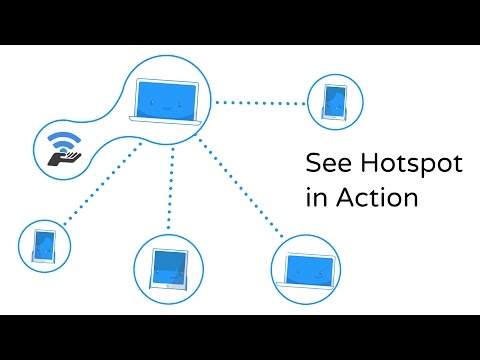
Connectify Hotspot is an easy to use software router for your Windows PC or laptop. With Connectify, you can transform your PC into a real WiFi hotspot. Also you can share your computer’s Internet connection as Wi-Fi with any other PC or mobile device.
Thanks to the “Virtual WiFi” technology that’s built into Windows 7 and up. Therefore your computer can create a WiFi hotspot. Even while it stays connected to another WiFi network.
However, Connectify Hotspot is a lot more than just a wrapper around these command-line tools. Connectify Hotspot is a full suite of powerful routing software (NAT, DNS, and DHCP). It can broadcast just about any available Internet connection over WiFi. Share wired ethernet, DSL, or even another WiFi network at the click-of-a-button.
With Connectify Hotspot, you can see statistics about how much data each of the clients on your hotspot have used. After connecting a device to your Hotspot, go to the Clients tab and click on a Connected Client to expand the statistics section.
Easily Create a WiFi Hotspot and Connect all your Devices
Just give your Hotspot a name and password, and you’re ready to go. Connectify Hotspot isn’t just the world’s most powerful hotspot software, it’s the easiest, too.
Share Any Type of Internet Connection
Connectify Hotspot lets you easily turn your PC into a WiFi Hotspot so you can share Internet with all your devices. Turn a wired connection into WiFi at the click-of-a-button and even share an existing wireless network as WiFi.
Enjoy Safe and Secure Sharing
Your Hotspot is automatically secured with WPA2-PSK encryption, just like a conventional router. That means, all users get the safest and most secure WiFi sharing experience available.
Monitor Network Usage By Device
The newest feature gives you real-time graphs for monitoring how much data your various connected client devices are using at a glance.
Fling Files to Connected Devices
Connectify Hotspot is the only software router that lets you wirelessly send files directly to connected devices, without even needing an Internet connection.
Share Internet from 3G or 4G Networks (PRO and MAX)
Connectify Hotspot PRO and MAX let you easily share the Internet connection from your 3G or 4G LTE mobile broadband device or tethered smartphone with friends, coworkers, or other devices.
Get Ethernet-only Devices onto WiFi (PRO and MAX)
In Wired Mode, Connectify Hotspot MAX lets you share your computer’s WiFi connection via Ethernet. So that older gaming consoles, computers, and any other Ethernet-only device can get online.
Custom Hotspot Naming (PRO and MAX)
All premium versions of Connectify Hotspot let you broadcast a totally custom name (SSID) for your Hotspot. When you upgrade to Hotspot PRO, you’ll enjoy premium features like sharing from 3G/4G devices and more.
Changes in version 2027:
🎛️ Rebuilt Single-Window Interface
- Everything on One Screen: Your network credentials, a scannable guest QR code, live network traffic, and connected client lists are now located on a single screen.
- Controls for Each Device: Click any device on the “Clients” tab to immediately view its data consumption, toggle internet access, or isolate it from other local devices.
⚡ Performance & Core Architecture
- Native 64-Bit Build: The software now runs fully native on 64-bit Windows 10 and Windows 11 systems, offering significantly faster network routing and lower CPU utilization.
🎮 Re-engineered Gaming Mode
- Standards-Checked NAT: Optimizes network behavior to offer full support for endpoint-independent mapping, random port allocation, and hairpinning—critical requirements for flawless console gaming and voice chats.
- Port Reservation: Automatically locks and reserves essential ports utilized by PlayStation and Xbox consoles (such as 3074, 3478, and 5223) to keep Windows from assigning them to other apps.
- High Connection Limits: Tracks four times as many concurrent connections, ensuring multi-device environments do not experience dropouts.
🌐 Smarter DNS & Data Control
- DNS Provider Freedom: Allows users to pick specific DNS providers like Cloudflare, Google, Quad9, or OpenDNS right from the dashboard.
- Data-Saving Mode: Features a toggle to “Tell devices to save data.” When activated, iPhones switch to Low Data Mode and Android devices mark the connection as metered to stop background photo backups and large software downloads.
🔒 Continuous Stealth Mode
- Device Anonymization: Permanently masks details about the local network, hiding how many devices are hidden behind the host computer by normalizing IP IDs, stripping TCP timestamps, and locking source ports to a tight
Changes in version 2023:
- Under the covers, the app is much faster, and uses less CPU
- Support for high DPI monitors
- Bug fixes
Changes in version 2021:
- Support for Jumbo Packets: The program includes a new driver, which supports jumbo Ethernet packets, up to 9000 bytes per packet, if your internet connection supports them.
- Improved Speedify Compatibility: Building on the Jumbo packet support, Speedify and Connectify Hotspot now automatically negotiate packet sizes, making sure that your hotspot clients really get the full speed, security, and stability benefits of your bonded Speedify connection. (Make sure you’re up to date with Speedify 10.7 or later)
- Faster: Under the covers, the app is much faster, and uses less CPU.
- Better Device Recognition: Even more devices are automatically recognized and given the correct icons and names.
Homepage – https://www.connectify.me
Supported Operating Systems:
- Windows 7, 8, 8.1, 10 (32-bit, 64-bit).
- Windows Server 2008 R2, 2012, 2016, 2019.
Size: 10.1 MB
DOWNLOAD Connectify Hotspot
TOP ALTERNATIVES
-
 webcam 7 PRO is a powerful webcams and network cameras monitoring, rec...
-
 CloudMe is a free web-based file storage, synchronization and sharing ...
-
 QuiteRSS is an open-source cross-platform RSS/Atom news feeds reader f...
-
 NordVPN is the best way to have a private, fast, and secure internet c...
-
 Hide ALL IP is the worlds best IP hide software. It hide all your appl...
-
 Privacy Guardian (made by iolo Technologies) is online privacy softwar...
-
 Norton VPN – Fast & Secure (formerly Norton WiFi Privacy) will p...
-
 FTP Commander Deluxe was designed for the most demanding webmasters an...
-
 Radmin is the world famous, award winning secure remote control softwa...
Leave a Reply
0 Comments on Connectify Hotspot 27.0.0.40339